The same lesson every Tuesday
Create a recurring schedule once. Move or cancel one meeting without changing the rest of the series.
 Owlery
 For professionals who work with clients on a schedule
Plan lessons and consultations, keep client notes, and see who has paid, who still owes, and how much prepaid credit remains.


Available for iPhone, iPad, and Android.
Familiar situations
Owlery handles the routine around recurring work, so your schedule and payment records tell the same story.
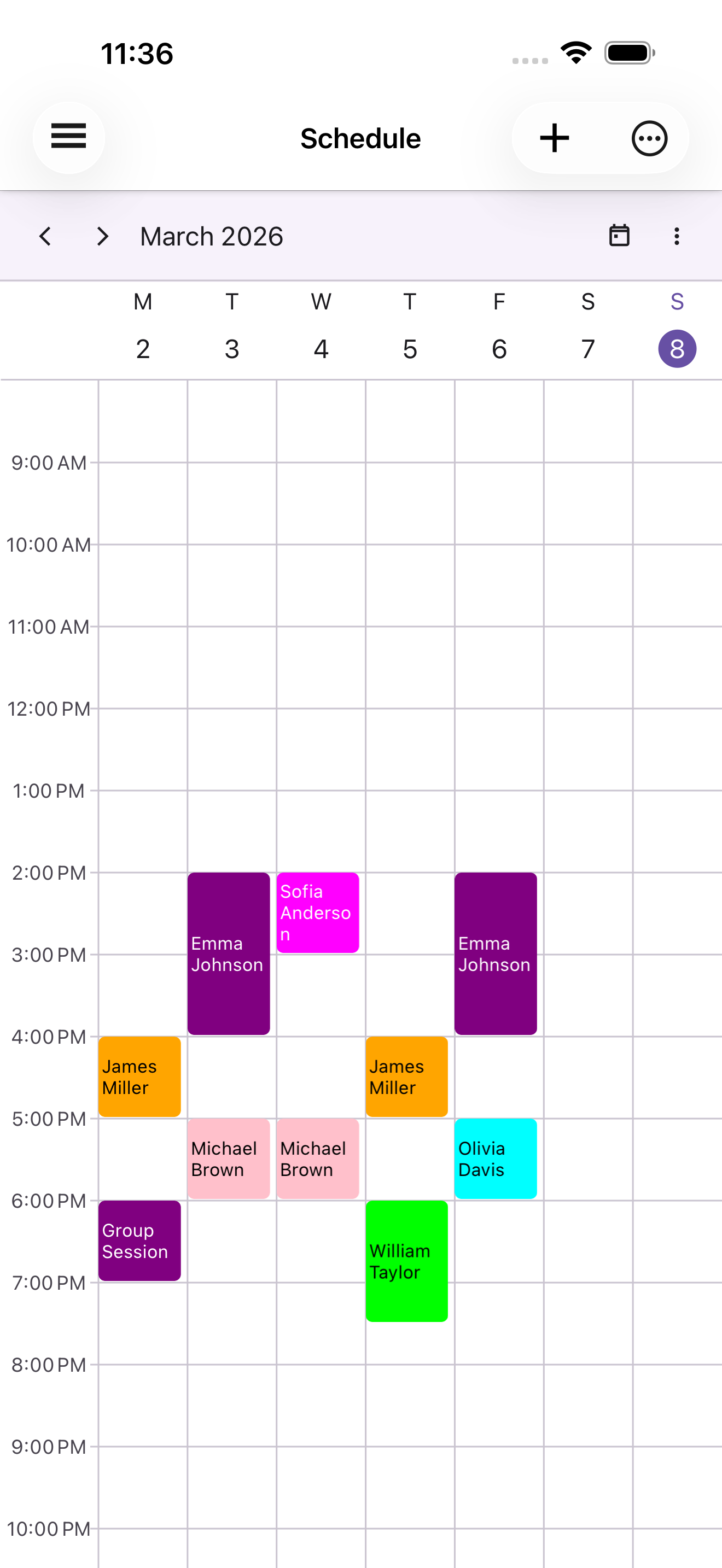
Create a recurring schedule once. Move or cancel one meeting without changing the rest of the series.
Add the payment to their balance. Each completed meeting is deducted so the remaining credit is always visible.
Record it when the money arrives. Until then, the amount owed stays visible in the client profile.
Mark the cancellation and see how many meetings — and how much potential income — were lost that month.
How it works
A client profile, a meeting, and its payment history stay connected without a separate spreadsheet.
Set their usual price, payment method, color, and notes.
Create a one-time or recurring meeting and choose the right time zone when needed.
After the meeting, confirm the payment or check the remaining prepaid balance.
Inside the app
Open the week, a client, or a specific meeting and continue from there.
Color-coded meetings make gaps, busy periods, and the next client easy to spot.
The client list shows current balances. Open a profile for contact details, notes, settings, and history.

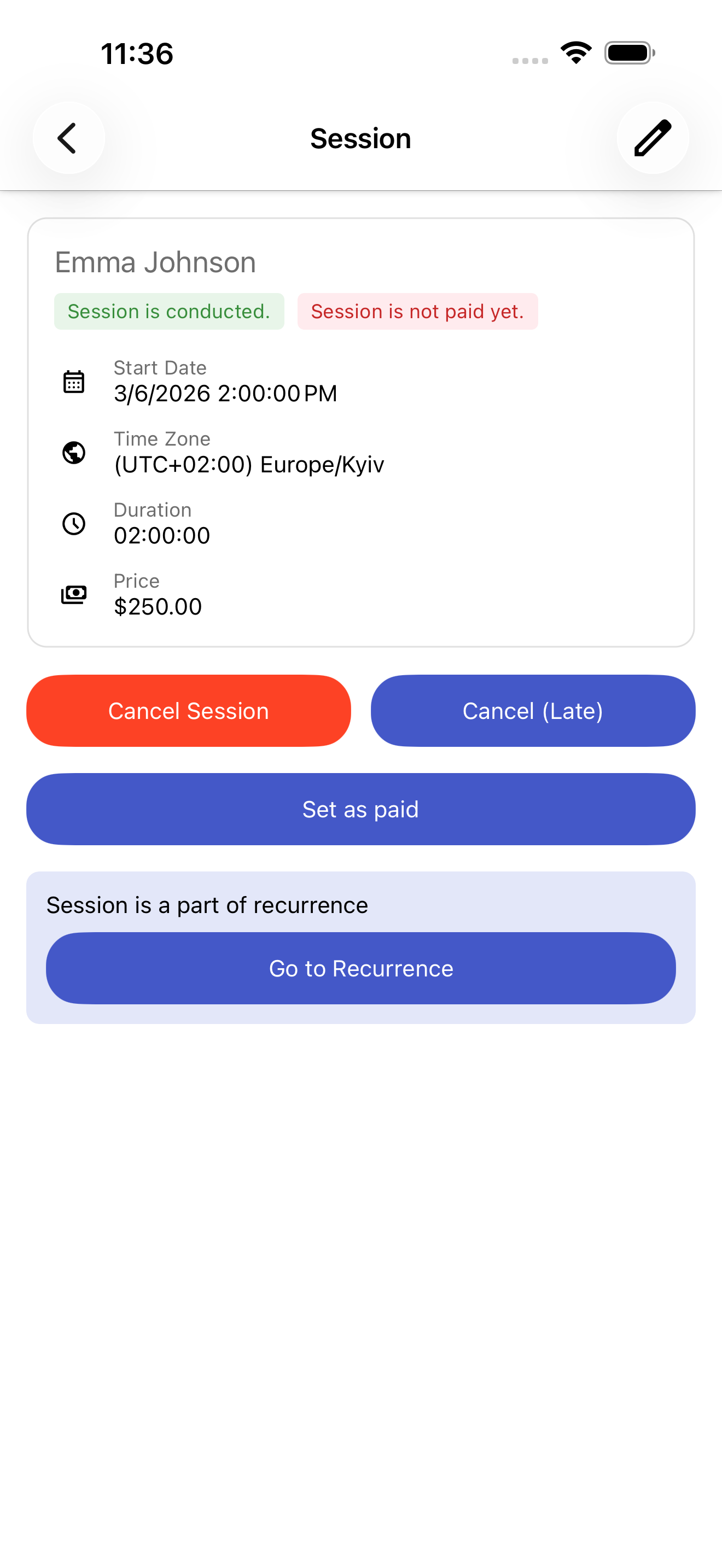
Check the time, participants, price, status, and payment without searching through messages.
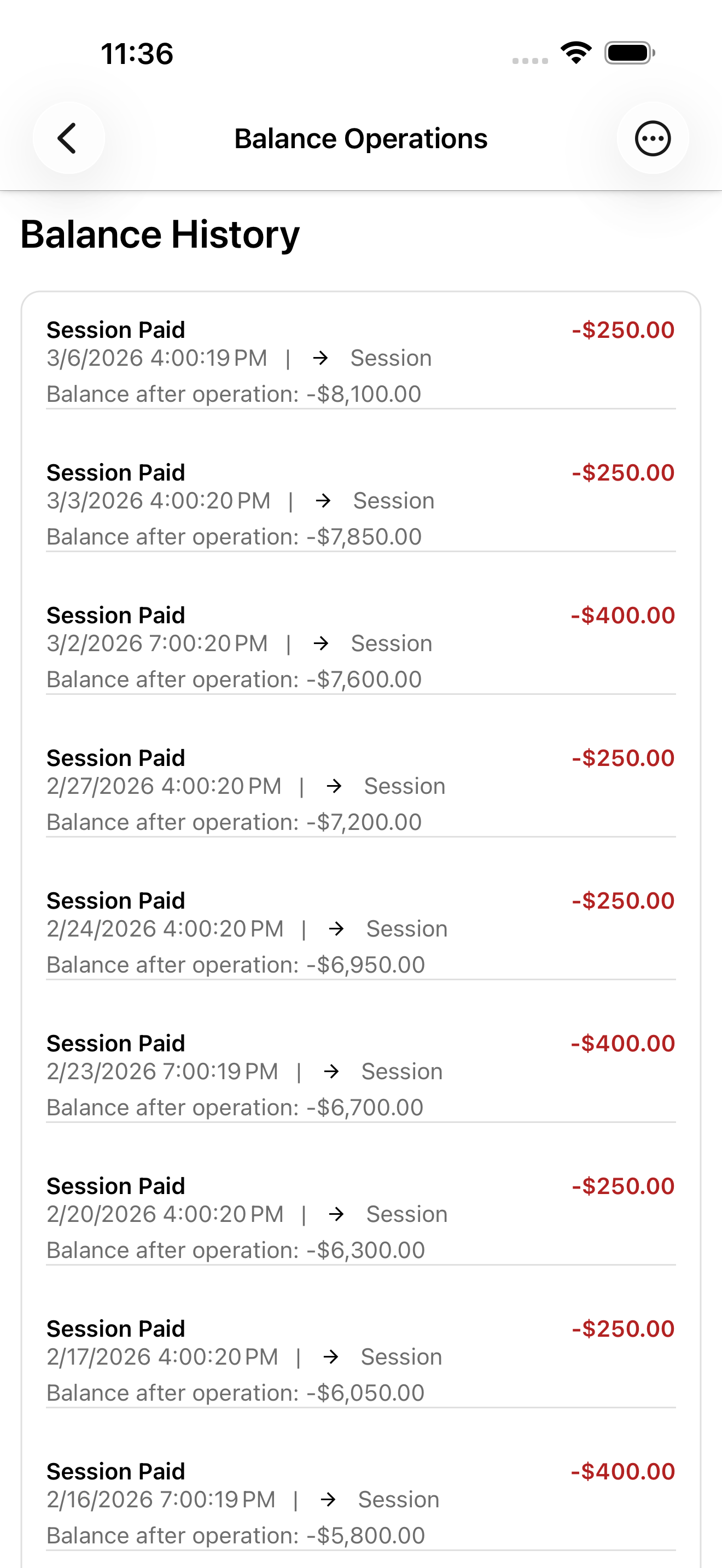
See deposits, meeting charges, received payments, and manual adjustments in one history.
Questions
Yes. Choose prepaid or pay-per-meeting for each client. You can also set a default price for that client.
Yes. Individual meetings can be moved or cancelled without changing the rest of the series. You can also update all future meetings.
Previously loaded data can remain available from the on-device cache. Changes require an internet connection.
Download Owlery and add your first clients and recurring meetings.